

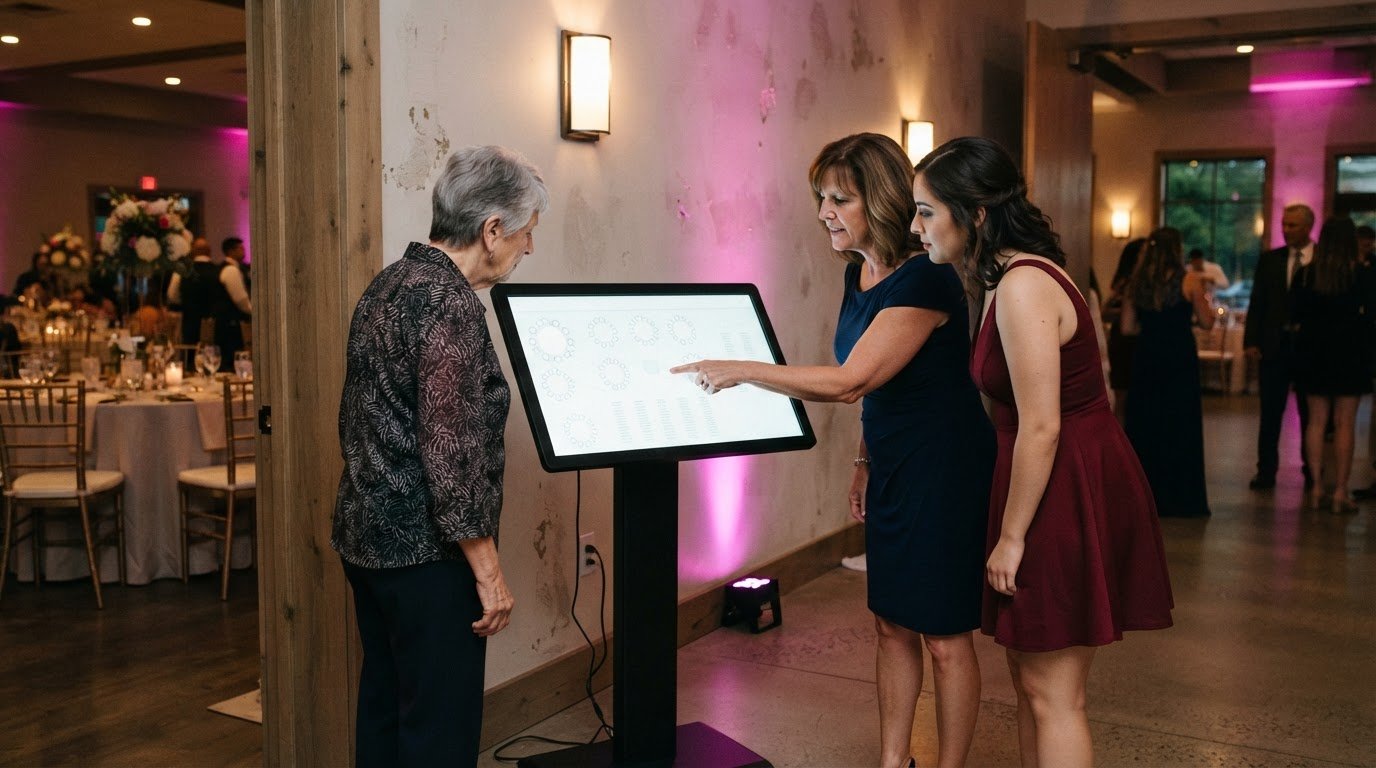
An event seating chart display can be a classic alphabetical board, a table-by-table list, individual escort or place cards, or a digital chart guests open with a QR code. Each format gives guests a clear way to find their assigned table or seat, and creates a different arrival experience: a shared display is easy to scan, while individual cards make each place feel personal. If you’re deciding between them, consider whether guests should look up a table or a specific seat, where people will see the information, and whether a phone-based option would make arrival smoother; this guide explores classic, table-based, individual-seat, and digital ideas, plus readability choices for weddings, Quinceañeras, Sweet 16s, corporate gatherings, and other celebrations.
Key Takeaways
- Choose a shared chart, escort cards, or place cards based on whether guests need to find a table or a specific seat.
- Organize names and table details in a way that makes assignments easy to scan as guests arrive.
- Consider a QR-code option when guests would benefit from looking up their seating on a phone.
- Keep the display readable by choosing a size, layout, and font that suit the venue and the amount of information.
1. Simple and classic seating chart designs
Classic charts make finding a seat simple: list guests alphabetically and pair each name with a table number. Escort cards give each guest an individual name and table assignment, while a shared event seating chart display lets everyone scan one board. Place it near the reception entrance, before guests reach their tables, and add a clear heading such as “Find Your Table.”
Geometric panels divide names into neat sections, while an ombré background shifts gradually between shades. Keep text legible against every color, especially darker transitions. For a retro look, try a vintage frame or type-inspired lettering. Table names such as “Studio” or “Garden” can replace numbers; repeat them on table signs so guests can find their way across the room. Let one decorative feature lead and keep the name layout orderly.
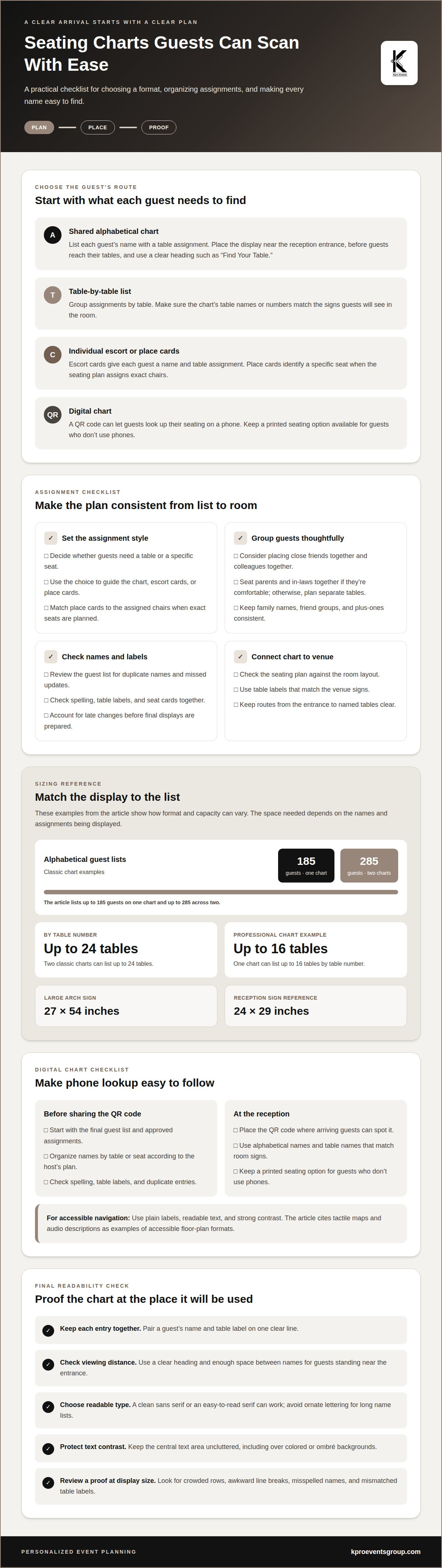
One chart lists up to 185 guests alphabetically; two can hold up to 285. By table number, two charts can list up to 24 tables. A large arch sign measures 27 inches by 54 inches. According to the U.S. Department of Justice, floor plans should be available in accessible formats, such as tactile maps or audio descriptions. This gives guests another way to understand the room’s layout. Professionally prepared or rented chart costs don’t have one standard price. Design, materials, size, and production scope shape the total. Compare what’s covered, such as design, printing, and delivery.
Treat the chart as part of the celebration’s overall look: coordinate its design with the event theme and color palette. Placement matters too. Put the display where guests can spot it as they enter the reception space. Considering style and position together helps the chart suit the celebration while still working as a practical guide.
A DIY chart also means taking on the design, construction, and transportation. Each task can add stress before or on the wedding day. Consider the time and effort involved in every step when deciding whether to make the display yourself.
How professionals assign tables or individual seats
Professionals first decide whether guests receive tables or exact seats. Table assignments give each guest a destination, such as Table 4. Specific-seat plans add a named place at that table. That choice shapes the chart, escort cards, and place cards. For example, a shared chart can pair Maya Chen with Table 4. A place card can identify her assigned chair when seats are planned.
Next, organize names and groups around the event. Close friends may share a table, while colleagues sit together. At a wedding, parents and in-laws can sit together if they’re comfortable; otherwise, the layout can seat them separately. Keep assignments consistent for family names, friend groups, and plus-ones. A clear guest list helps prevent duplicate names and missed updates.
Then the planner checks the seating plan against the room layout. Table labels should match the signs guests see at the venue. An alphabetized chart helps guests locate names; table lists group assignments. Professionals account for late changes before preparing final displays. One chart can list up to 16 tables by table number. This format works when chart and room labels match. Specific seats need matching place cards at each setting. Review the final name list, table labels, and seat cards together.
How professionals create digital seating charts and QR codes
Professionals start with the final guest list and approved assignments. They organize names by table or seat, based on the host’s plan. For example, a guest scans a QR code and finds “Jordan Lee, Table 6.” A digital chart lets guests look up seating on a phone. The host can edit assignments from a phone as plans change. Before sharing, professionals check spelling, table labels, and duplicate entries.
QR access suits receptions with limited display space or guests who prefer looking up assignments on a phone. Place the code where arriving guests can spot it, and make the digital list easy to scan. Alphabetical names help guests find their entries, while consistent table names connect the results to room signs. If assignments change, the host can update the chart from a phone. Provide a printed seating option for guests who don’t use phones, and show each guest’s table name clearly.
For accessible navigation, use plain labels, readable text, and strong contrast. Pair the digital chart with a floor plan in an accessible format. The U.S. Department of Justice gives a tactile map or audio description as examples. Clear routes from the entrance to named tables help guests connect the chart with the room.
4. What size and font are best for a readable seating chart display?
A reception seating chart sign is listed at 24x29 inches. Use this size as a reference, then match the layout to your guest list. A longer list needs more room for names and table assignments. A compact list can leave more breathing space around each entry. Keep names and table labels together, so guests can scan one clear line. For example, “Avery Brooks, Table 8” is easier to follow than separated details.
Check the design at the distance guests will stand. A chart placed near an entrance should have clear headings and enough spacing between names. Keep table labels consistent with the room signs, such as “Table 8” in both places. If you choose a decorative frame or colored background, leave the central text area uncluttered. A quick proof at the intended display size can reveal crowded rows or awkward line breaks.
Choose a simple, readable typeface for names. A clean sans serif or an easy-to-read serif can work, but avoid ornate lettering for long name lists. Use a larger style for headings and keep guest names uniform. Strong contrast helps text stand out against cream, charcoal, or ombré backgrounds. Before finalizing, review names, spelling, and table labels together. A consistent format makes the chart easier to scan at a busy reception.
Event DJ, coordination, and enhancement pricing
Planning a wedding, Quinceañera, Sweet 16, or corporate celebration? The right budget depends on the event coverage and enhancements you choose. Milestone and Other Events start at $1,000. Full wedding coverage starts at $1,850. These are starting prices for different event categories, not interchangeable package totals. Your event’s plans determine which option fits.
Enhancements and Luxury set-ups can estimate between $2,500 and $5,000. This range applies to those elevated setups, not automatically to every celebration or a seating chart alone. Lighting can help shape the room’s look. Digital Seating Chart Concierge and Screen Displays support guest navigation. Bilingual MC and coordination services bring entertainment and event support together. Each serves a distinct purpose, so consider which elements matter most to your event.
For a useful comparison, separate core coverage from add-ons first. Full wedding coverage has a different starting point from a milestone event. Then consider whether enhancements suit your plans and desired atmosphere. The seating display is one part of the overall event experience, alongside entertainment, coordination, and lighting. Keep these categories clear as you plan, so you can compare starting prices with the services and enhancements you want without treating an estimate as a fixed price for every event.
KproEvents: Digital Seating Chart Concierge and Screen Displays
KproEvents offers Digital Seating Chart Concierge and Screen Displays for celebrations that need a clear way to share seating assignments. If guests would benefit from finding a table on a phone, or a screen suits the room better than a printed board, this service can fit your event plan. The right format depends on guest flow, venue layout, and your preferred look.
Start with the seating plan. Decide whether guests look up tables or specific seats. Keep names and labels consistent across the display and room. For example, “Table 6” should match the sign guests see at the reception. If assignments change, a digital approach can make updates easier to share. Screens bring seating information into view, while concierge support centers the chart experience. Consider this option when you want guest directions to feel connected to the celebration.
Bilingual MC and coordination services can also support event announcements and event flow. Lighting can shape the room’s atmosphere, while the chart stays focused on clear directions. KproEvents can tailor these elements to your celebration, rather than apply one setup to every event. Share how you want guests to find their places and what style suits the occasion. Then discuss the seating display approach that fits, whether it’s a wedding reception or another gathering. Contact KproEvents to talk about your event.
Frequently Asked Questions
What is an event seating chart display?
An event seating chart display is the guest-facing reference for finalized seating assignments, not the working document used to plan the room. It shows attendees where to go after the host arranges the seating. Guests can check their final assignment without seeing private planning notes or needing an explanation of why particular people were grouped together.
What are popular event seating chart display ideas and formats?
Choose a style that fits the event’s setting and mood. A formal ballroom might call for restrained lettering and a refined layout, while a Sweet 16 could use playful colors and a more celebratory design. Corporate events can carry event branding through the display. Think about the visual impression guests meet on arrival, as well as how quickly they need to find their information.
What should you look for in a professional digital event seating chart display service, and what affects its price?
Look for a clear service scope and a process that lets you approve the guest-facing content. Ask how the digital display fits into your event plan and which enhancements are part of the package. Price depends on the selected coverage and enhancements. A written breakdown helps you understand the proposed combination rather than judging the screen by itself.
What are alternatives to a traditional event seating chart display?
For a smaller dinner, an MC can announce where guests should go, while a host can welcome arriving groups and point them toward table markers. These approaches work best when guests can hear the announcement and the room layout is straightforward. If each person needs an exact assigned seat, provide a guest-facing way to communicate that detail.
What are common seating chart display mistakes and how can they be avoided?
Avoid crowded layouts, hard-to-read fonts, low contrast, inconsistent table labels, and name or spelling errors. Use clear spacing and headings, match chart labels to room signs, and review the final names and assignments together.
